
Guild Master is a free Discord guild bot and web panel for MMO guilds and gaming communities. It brings everything a guild leader juggles every week – applications, characters, events, attendance, points, loot and Discord – into one place, so officers can share the work and players always know what is going on.
This article walks through what Guild Master does, who it is for and how to get started.
🏰 Built around how gaming communities really work
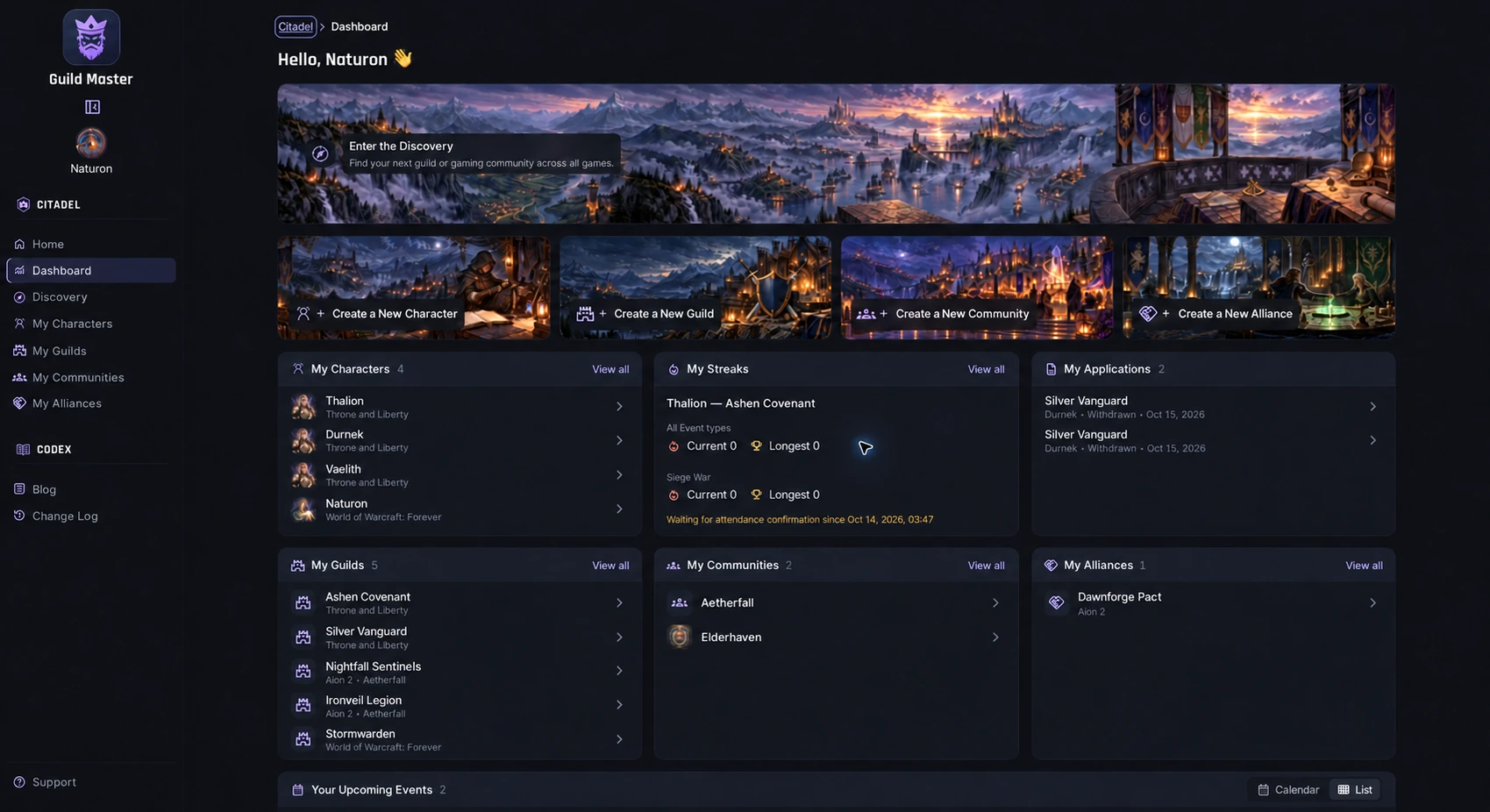
Guild Master uses three building blocks:
- Community – the people on your Discord server. One Community can play several games.
- Guild – a group inside one game. A Community can run several Guilds per game.
- Alliance – Communities that play the same game and want to team up for shared events and announcements.
This mirrors real life: one Discord server, many games, many groups, and occasional alliances with friendly communities. Each Community keeps control of its own members, roles and settings.
📝 Recruitment that does not get lost
- Applications with your own questions for each Guild or Community.
- A shareable application link you can post anywhere.
- Clear statuses: pending, accepted or declined.
- Officers can review in the panel or directly from the application message in Discord.
- Applicants get notified when a decision is made.
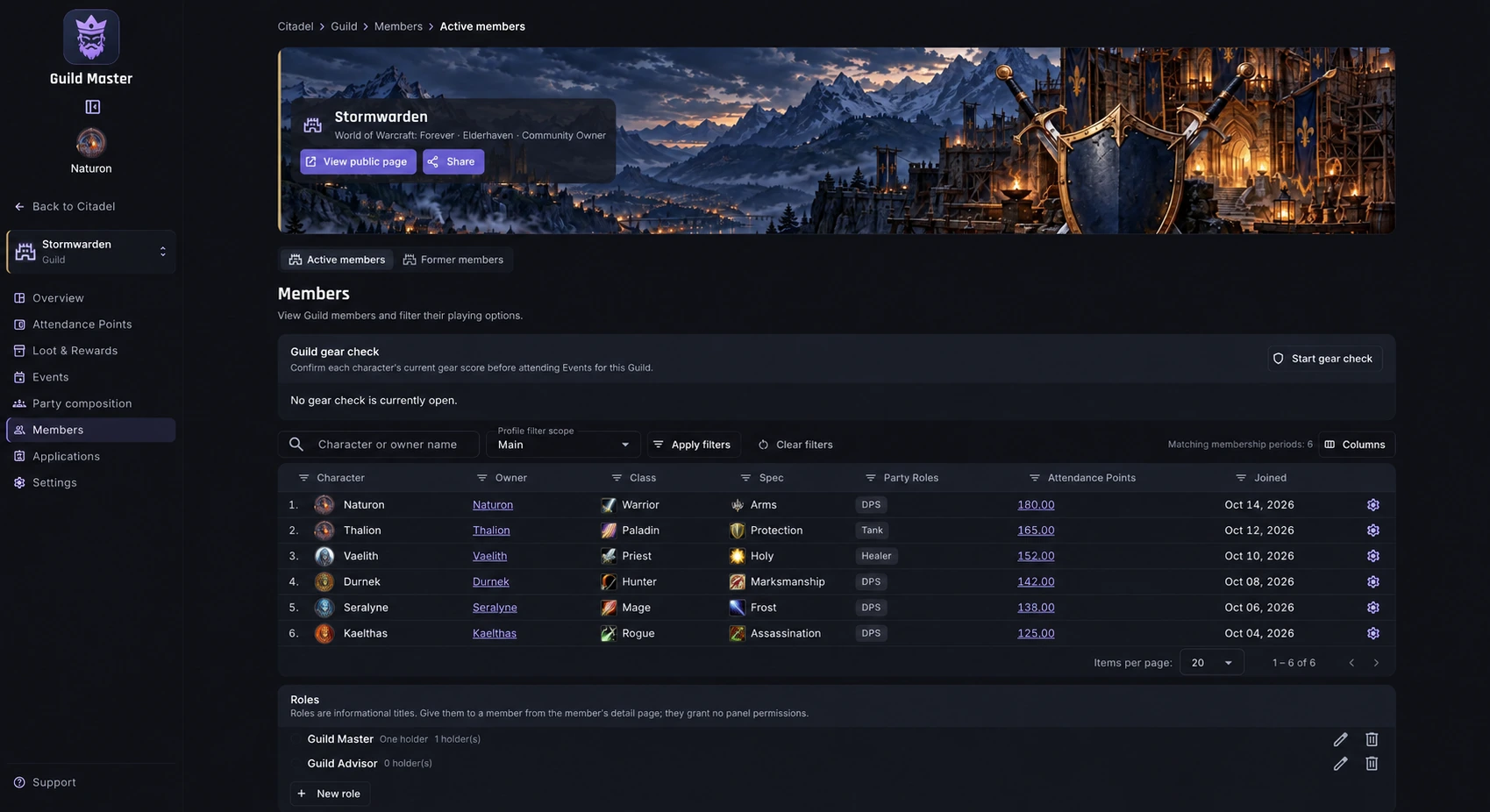
🧙 Characters for 24 MMO games
Players create characters with the fields that matter in their game: class, specialization, region, server, faction and gear score where the game uses them. One character list follows the player across every Guild they join.
Guild Master currently supports Aion 2, Albion Online, ArcheAge, ArcheAge Chronicles, Black Desert Online, Blue Protocol: Star Resonance, Conqueror's Blade, Final Fantasy XIV Online, Guild Wars 2, Guild Wars 3, Knight Online, Lineage II, Lineage II Classic, Lineage II Essence, Lost Ark, Metin2, Rise Online World, Rise Online World Mobile, Silkroad Online, The Quinfall, Throne and Liberty, World of Warcraft Classic, World of Warcraft: Forever and World of Warcraft Retail. More games are added based on community requests.
📅 Events, RSVP and real attendance
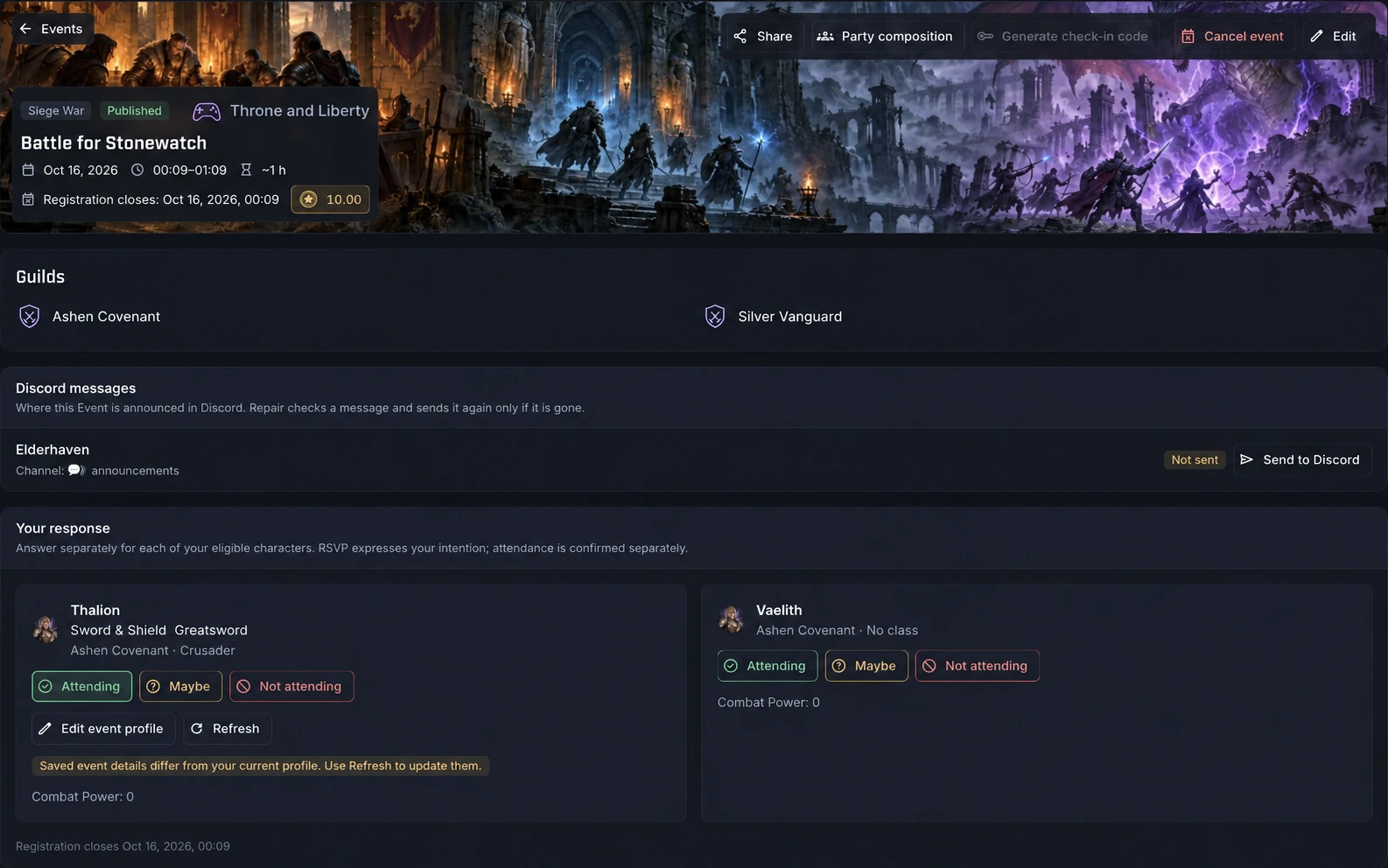
- Guild, Community and Alliance events with a calendar and list view.
- Per-character RSVP: attending, maybe or not attending, with an optional reason.
- Weekly repeating events and Discord reminders before the start.
- Optional recommended gear score and gear check before attending.
- Attendance is separate from RSVP: organizers mark present or absent, players check in with a code, or organizers check in a whole voice channel at once.
- Attendance is confirmed per Guild, so every Guild stays responsible for its own record.
⭐ Attendance points that stay fair
When attendance is confirmed, Guild Master awards the event's points automatically. Every change lands in a ledger, so you always know where a balance came from. You can name the points the way your community likes, add manual transactions and use point decay to keep inactive balances from piling up.
⚔️ Party composition
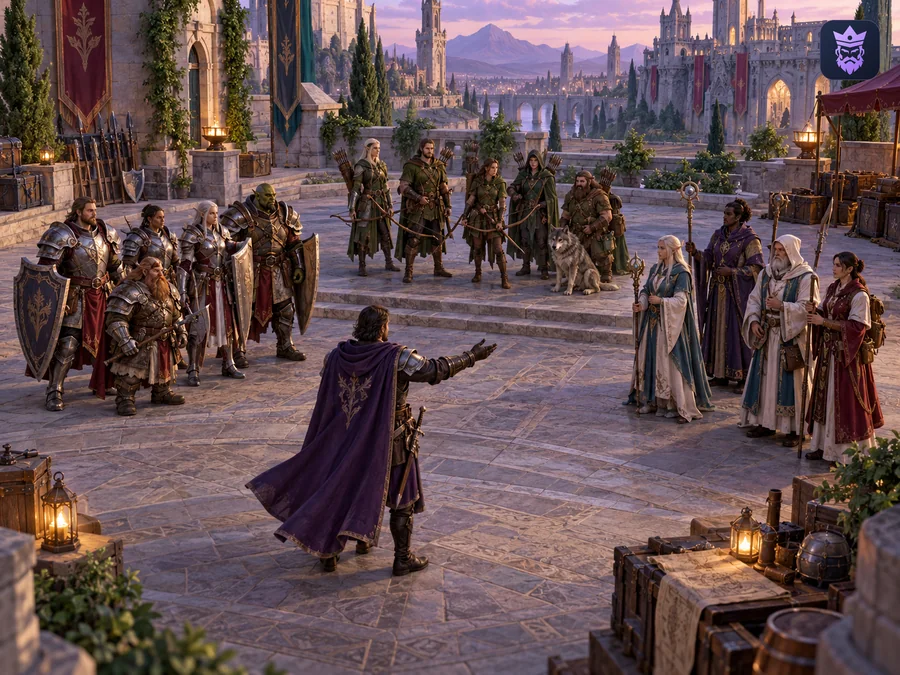
Raid leaders can arrange characters into parties before the event, using the class and role information the game needs. The final composition can be sent to Discord so everyone knows their group before the pull.
💰 Loot & Rewards: council, roll or auction
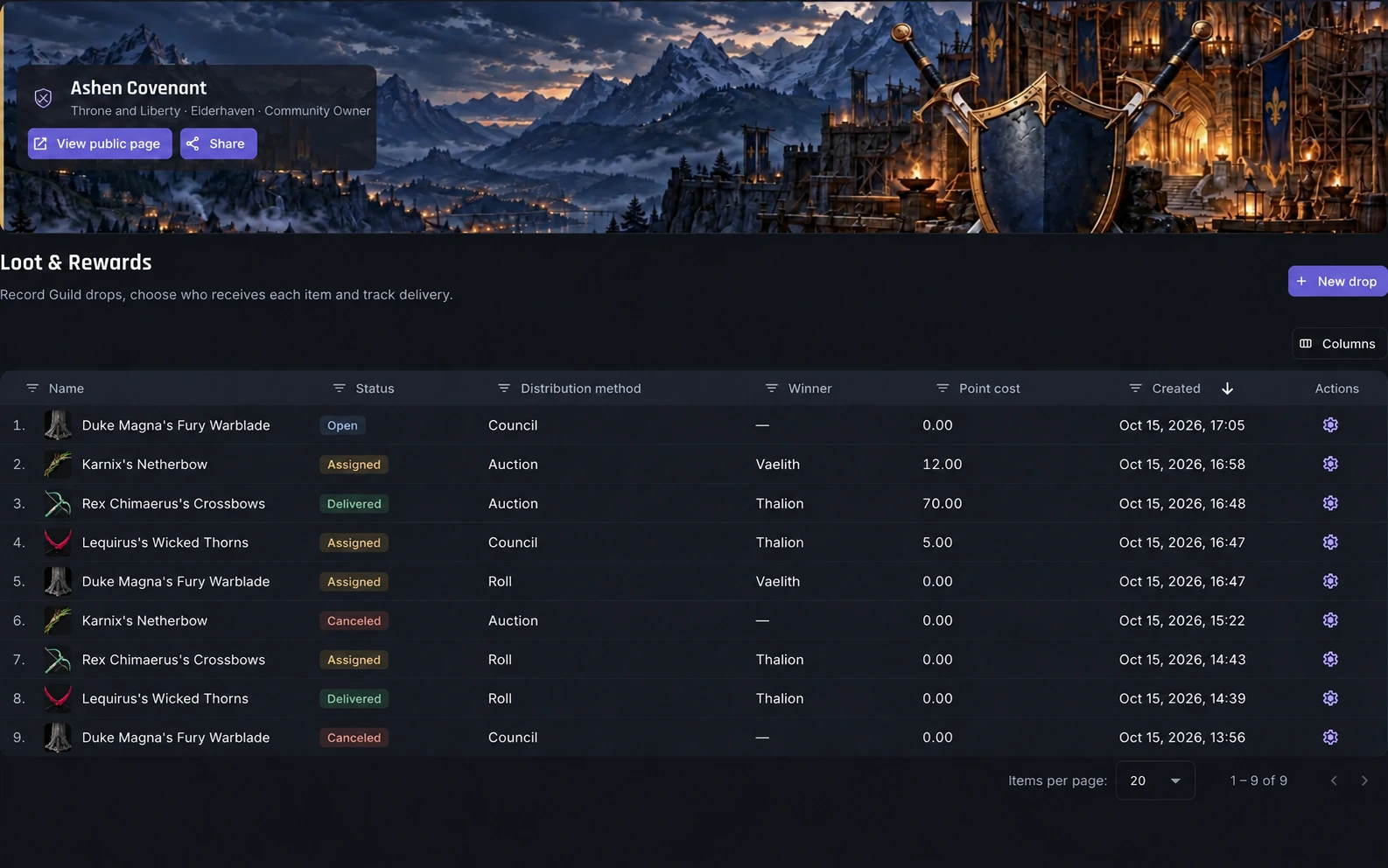
For every drop, choose how it is distributed:
- Council – officers assign the item, with a recorded reason.
- Roll – need, greed or pass, closed automatically or early.
- Auction – members bid with their available points.
Members can show interest, roll or bid from the panel or from Discord. Every assignment is recorded, so loot decisions are transparent.
🤖 Deep Discord integration
- Ready-made channel templates that create a clean category and channels in one step.
- Role sync for games and Guilds, so Discord roles follow membership automatically.
- Event, application, party, loot and announcement messages delivered to the channels you choose.
- Welcome, Goodbye and Role Changes messages for your server.
- Live stream announcements for your Community's Twitch and Kick streamers.
- Slash commands such as check-in, directly in Discord.
🔍 Discovery and public profiles
Every Community, Guild and Alliance can have a public page with its games, languages, introduction and social links. Players find you through Discovery. Private Communities stay listed with a showcase while member lists remain hidden. Players also get public profiles with visibility controls.
🛡️ Roles, permissions and ownership
Create your own panel roles and give officers exactly the permissions they need: managing members, events, loot, Discord settings and more. Ownership can be transferred safely, and an activity log records important changes.
💸 Free and Premium
Every feature is free. The Free plan covers a complete Community for one active game, with unlimited members and events. Premium only adds capacity: more active games at the same time and more Guilds per game. A member buys Premium for themselves and assigns it to any Community they choose. See the details on the Plans page.
🚀 Get started in five steps
- Sign in with Discord.
- Create your Community.
- Add your game and create your first Guild.
- Connect your Discord server and apply a channel template.
- Share your application link and schedule your first event.
The Documentation explains every step, and the setup assistant inside the app shows what is left to do.
❓ Frequently asked questions
Is Guild Master a Discord bot? Yes. The Guild Master bot posts events, applications, loot, parties and announcements in your server, syncs roles and handles slash commands such as check-in. The web panel is where you manage everything in detail, and both stay in sync.
Is Guild Master really free? Yes. All features are included in the Free plan. Premium only increases how many games and Guilds can be active at the same time.
Do players need to pay? No. Players never need a plan to join Guilds, apply, answer events or keep their characters.
Does Guild Master work without Discord? You sign in with Discord, but connecting a Discord server is optional. All management features also work in the web panel.
Which languages are supported? The panel is available in nine languages: English, Turkish, German, French, Spanish, Italian, Portuguese, Russian and Slovenian.
Can several communities work together? Yes. Alliances let Communities in the same game share events and announcements while each keeps control of its own members.
If you are still deciding whether your guild needs a tool at all, read why every MMO guild needs a guild management tool. Otherwise, sign in and set up your Community today. 🎮